Support #41
openHide the Previously Invoiced Amount Field in the Proforma Invoice Report for ECPL/QTN/2025-2026/155
Description
The Previously Invoiced Amount field should be hidden in the Proforma Invoice Report for ECPL/QTN/2025-2026/155. This field should not be displayed in the report output.
Files
Updated by Amul Munusamy 5 days ago
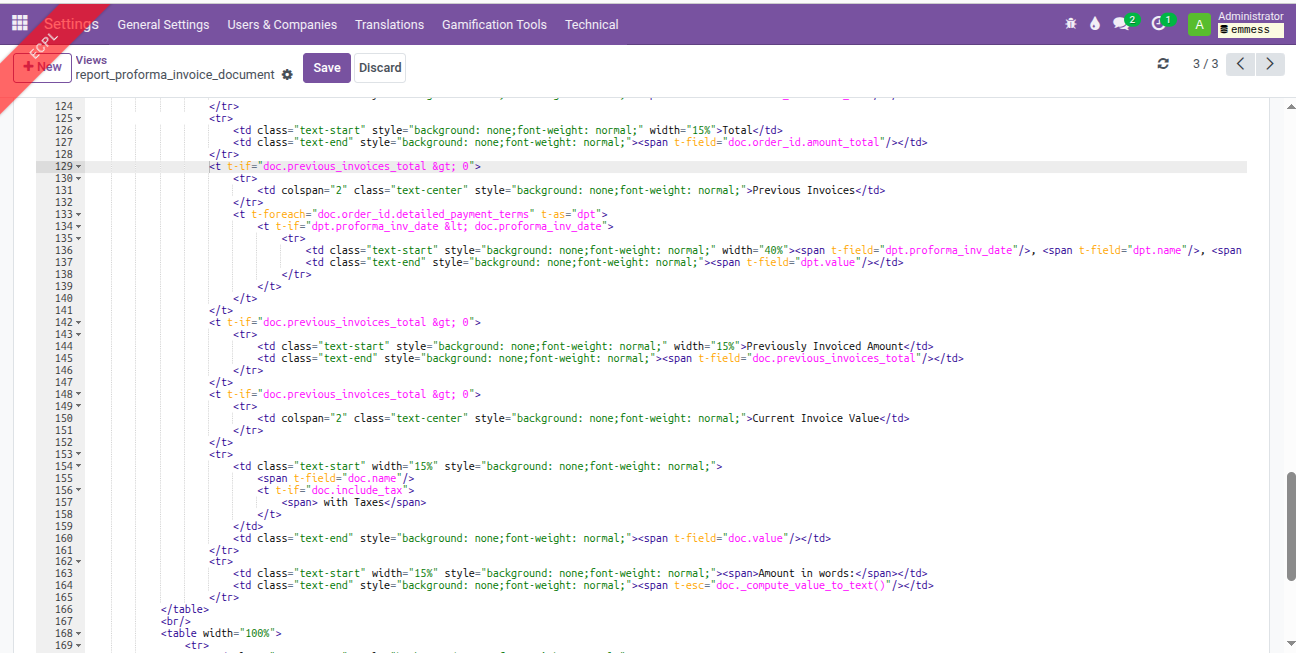
- File proforma_invoice_report_view.png proforma_invoice_report_view.png added
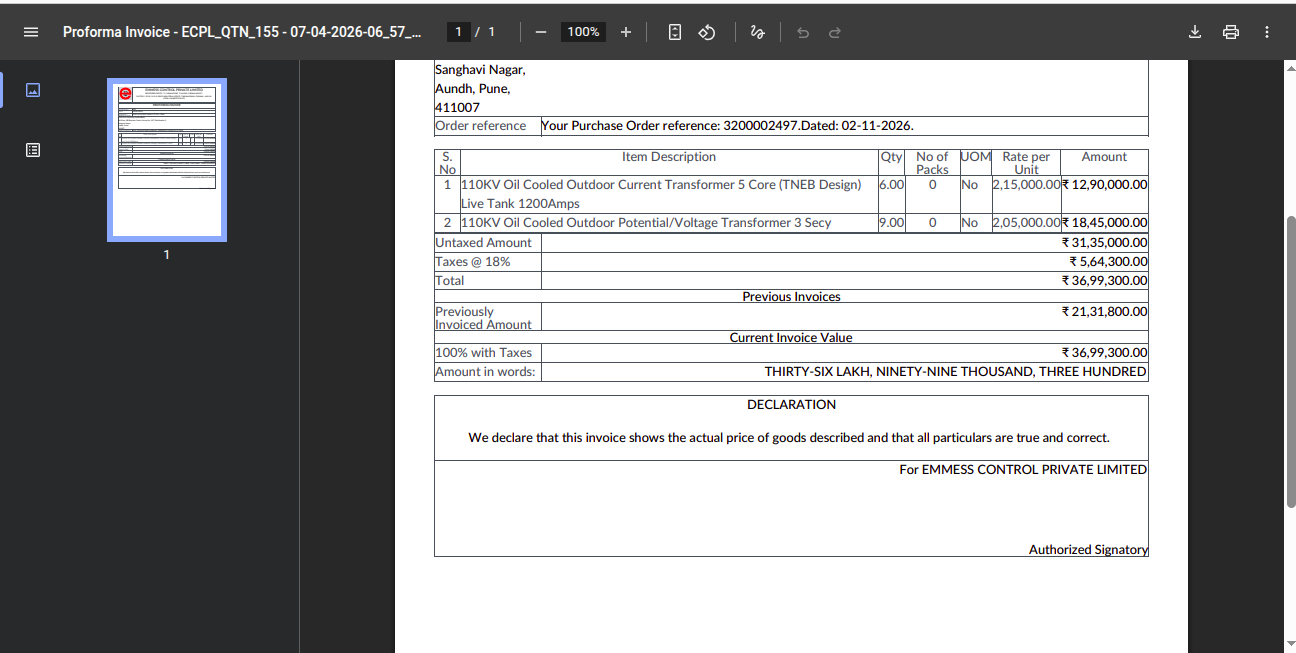
- File sale_order_155_proforma_invoice_report_before.png sale_order_155_proforma_invoice_report_before.png added
Analysis:
Menu Path: Sales --> Orders --> Emmess Orders
In Sale Order (ECPL/QTN/2025-2026/155), the ‘Previously Invoiced Amount’ field is currently displayed on the Payment Terms section of the report. The Emmess user has requested to hide this field in the report.
Updated by Amul Munusamy 5 days ago
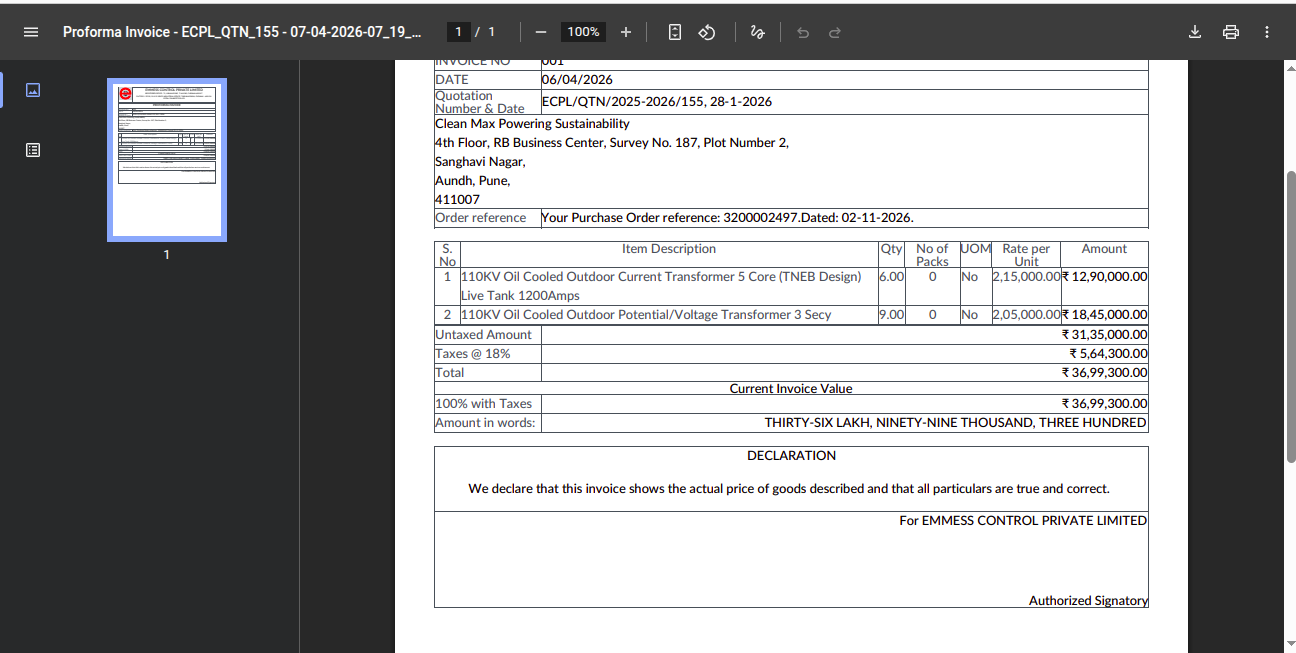
- File sale_order_155_proforma_invoice_report_after.png sale_order_155_proforma_invoice_report_after.png added
- File sale_order_155_proforma_invoice_report_previously_invoice_amount_commented_revert.png sale_order_155_proforma_invoice_report_previously_invoice_amount_commented_revert.png added
- File sale_order_155_proforma_invoice_report_previously_invoice_amount_commented.png sale_order_155_proforma_invoice_report_previously_invoice_amount_commented.png added
Solution:
Go to Settings → Technical → User Interface → Views and search for the QWeb report named report_proforma_invoice_document. In this report, the Previously Invoiced Amount field needs to be hidden for this specific document.
report_proforma_invoice_document view
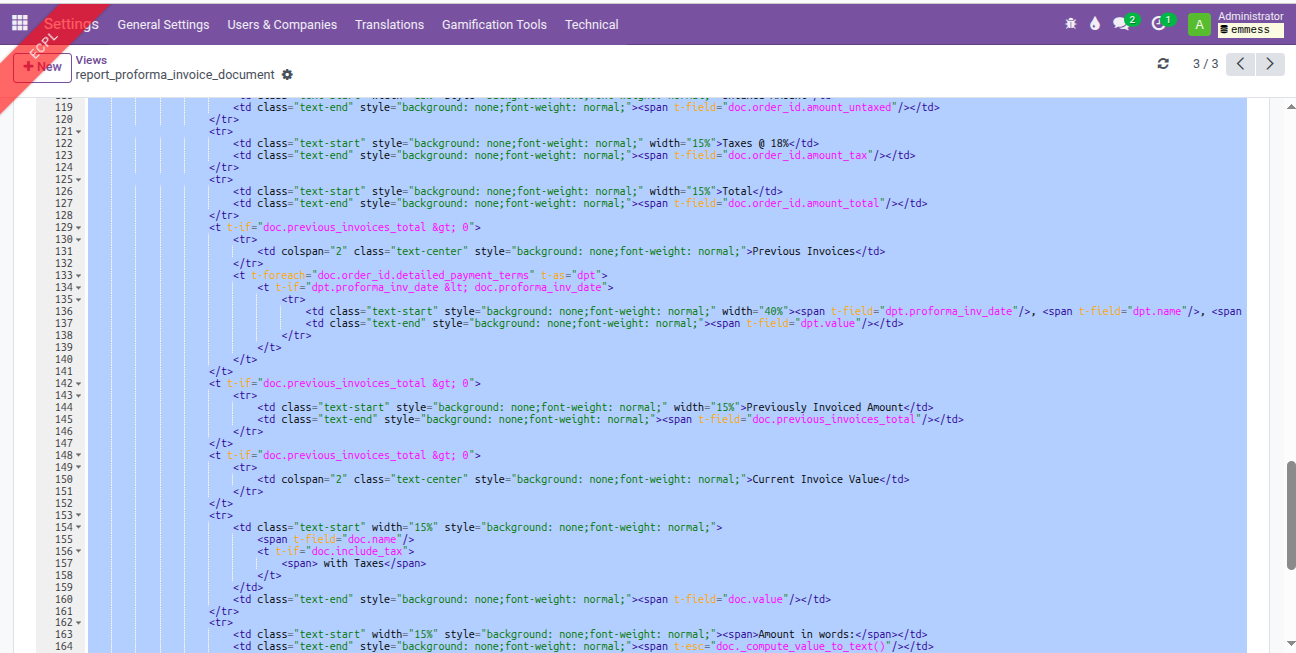
Proforma invoice report previously invoice amount field part commented.
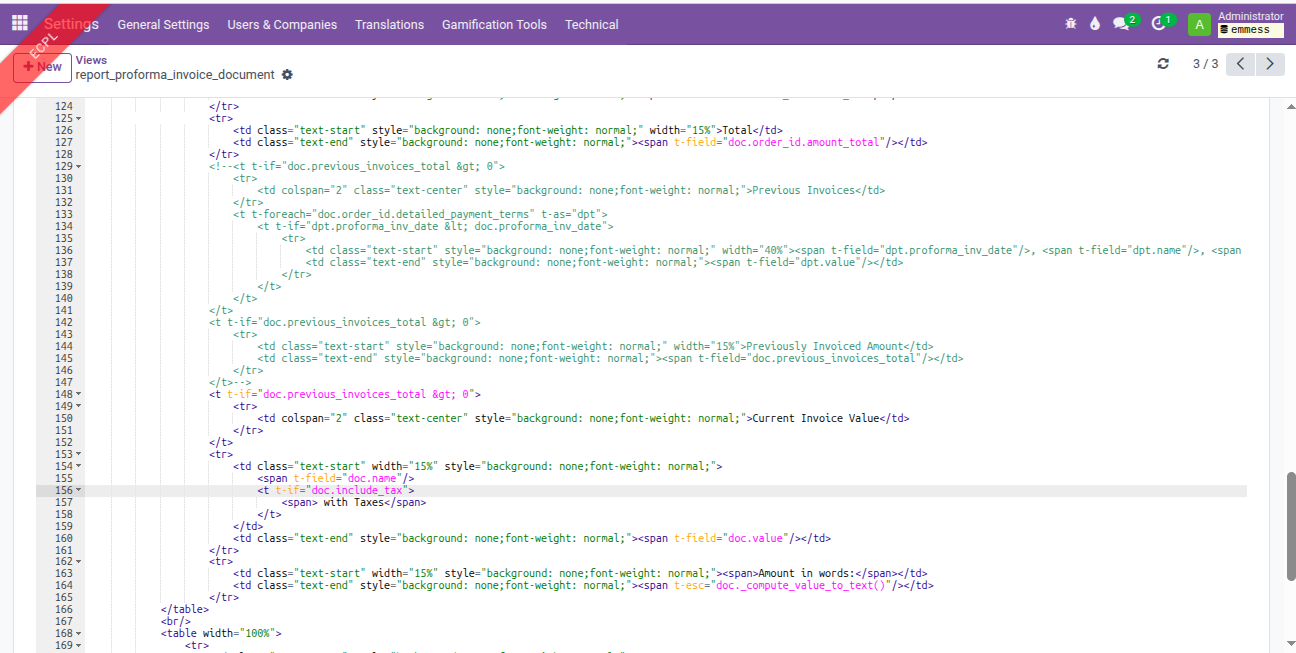
After proforma invoice report change.
After the Emmess user downloads the report, the changes are reverted when viewing the code.