Dev Task - Normal #16
open
Add a drawing tab to the sales order after confirming the order.
Added by Amul Munusamy 5 months ago.
Updated 4 months ago.
Description
Add a drawing tab to the sales order after confirming the order.
Field Details:
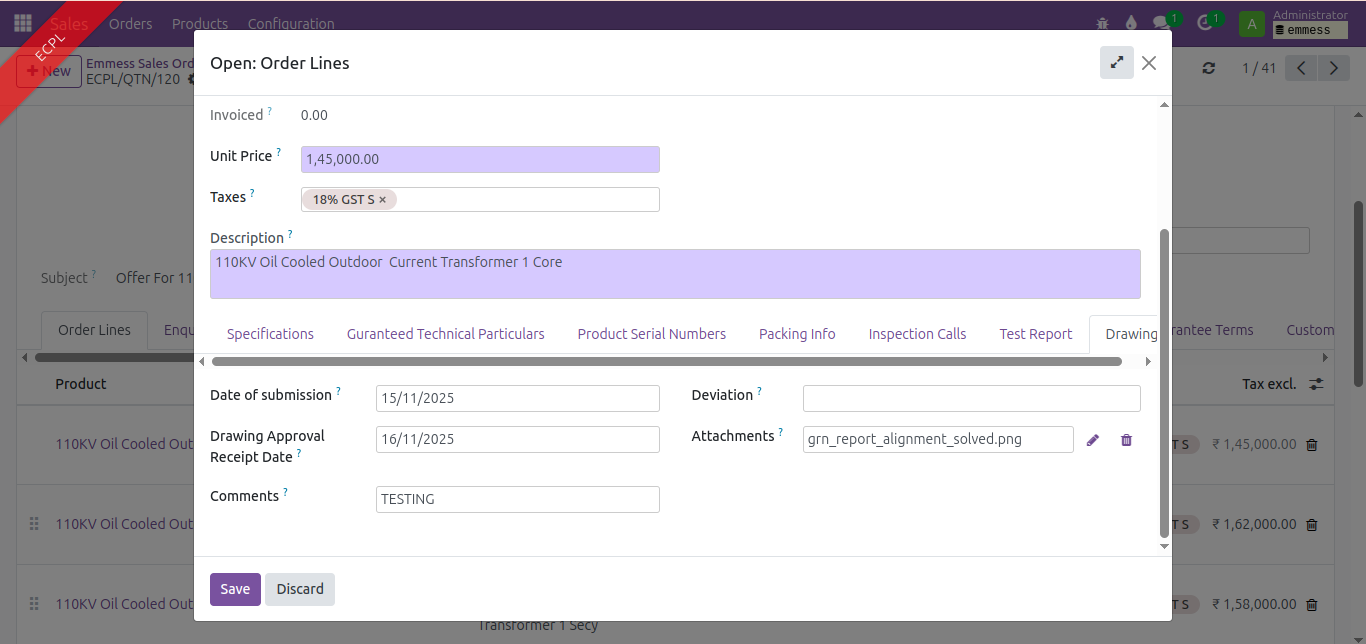
1. Date of submission - Date
2. date of receipt of drawing approval - Date
3. comments - Char
4. deviation - Char
5. attachments - Binary
Based on line item separate tab required.
Files
- Status changed from New to In Progress
Analysis:
The above following fields should be present in the sale order line after Test Report tab.
1. Date of submission
2. date of receipt of drawing approval
3. comments
4. deviation
5. attachments
Solution:
Define the fields in the sale order model. Invoke the page Drawing in the emmess sale order view - After the sale order is confirmed the page should be visible.
- Description updated (diff)
Drawing Tab Form View
- Status changed from In Progress to Resolved
- Status changed from Resolved to User Acceptance Pending
Communication Update: 15/12/2025
Informed Mr. Siddharth via phone call that he will check the Drawing tab in the Emmess order tomorrow and provide UAT
UA communication:
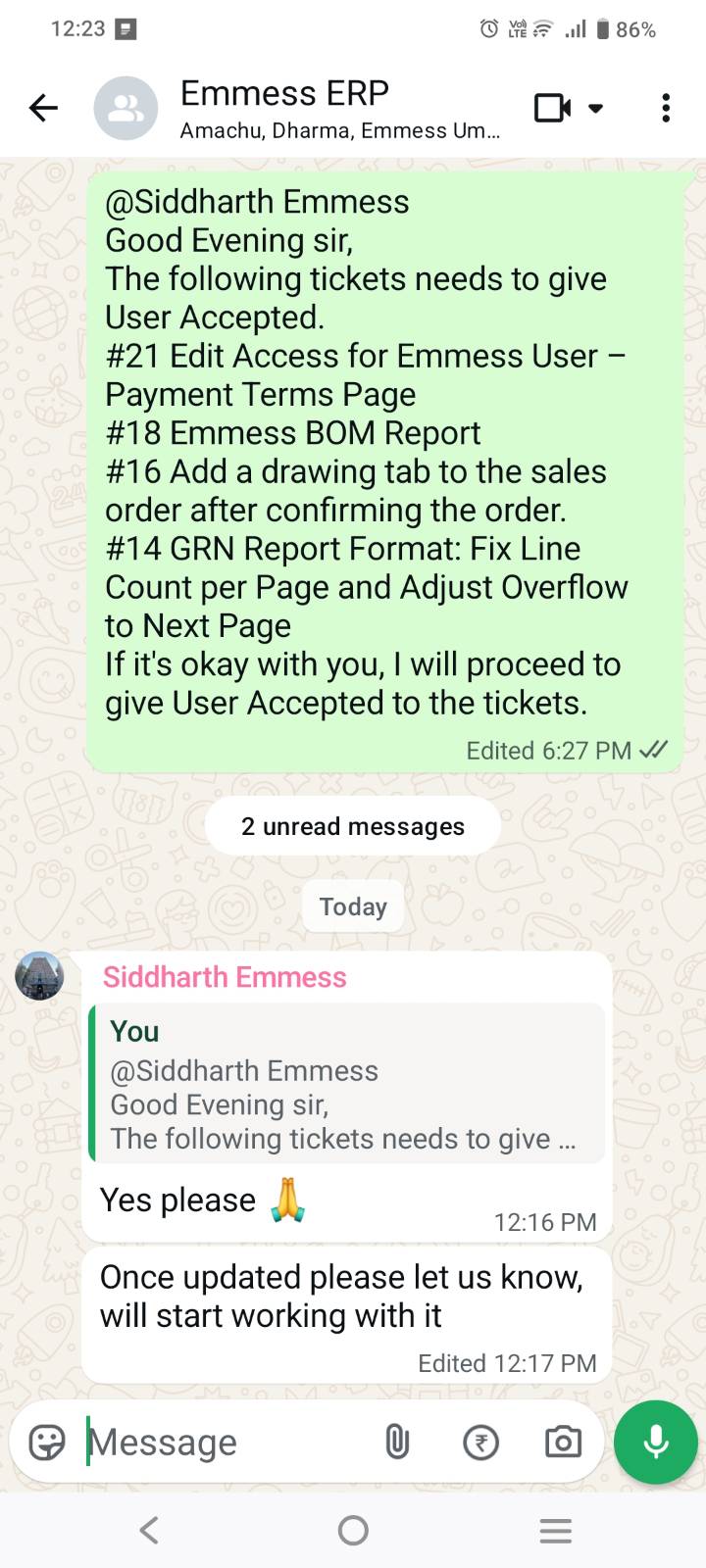
Based on the above communication via whatsapp i am putting this ticket to User Accepted , on behalf of Mr.Siddhart sir
Also available in: Atom
PDF
