Dev Task - Normal #11
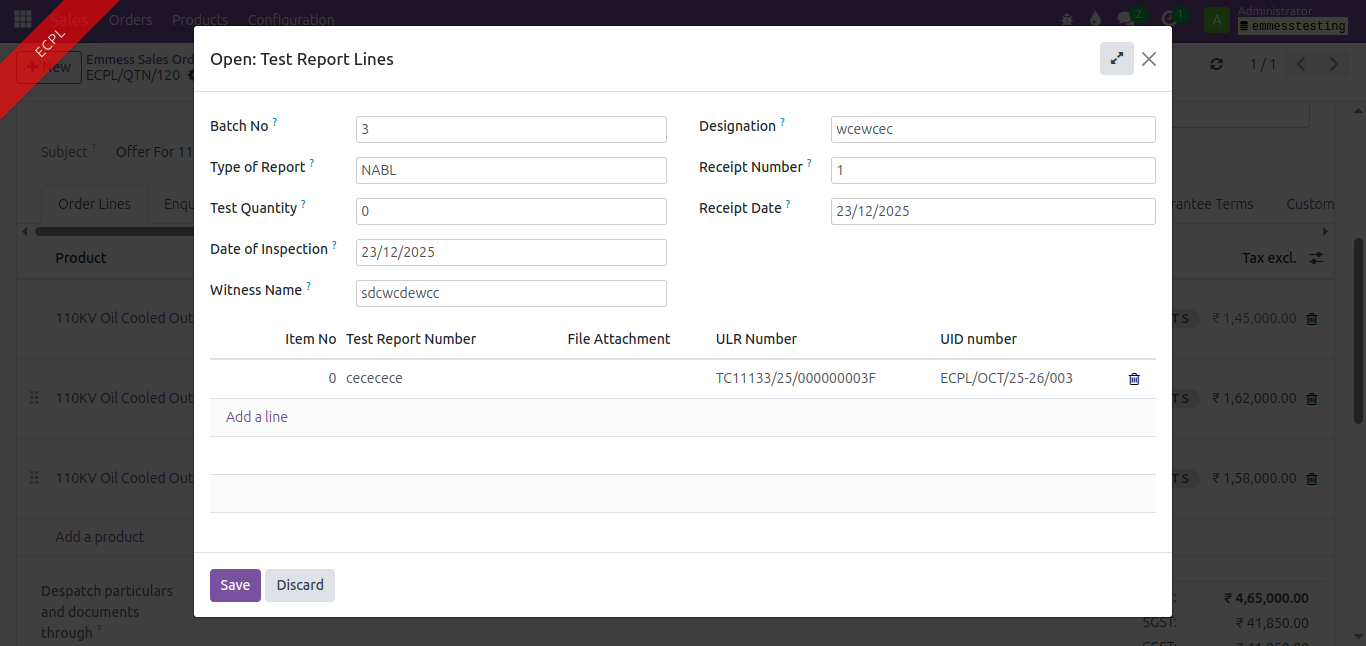
openOrderline Test Report
0%
Description
Type of Report - field details attached here.
Files
Updated by Amul Munusamy 5 months ago
- Subject changed from Type of Report to Test Report
Updated by Vignesh Saravanan 5 months ago
- Status changed from New to In Progress
Updated by Vignesh Saravanan 5 months ago · Edited
Analysis
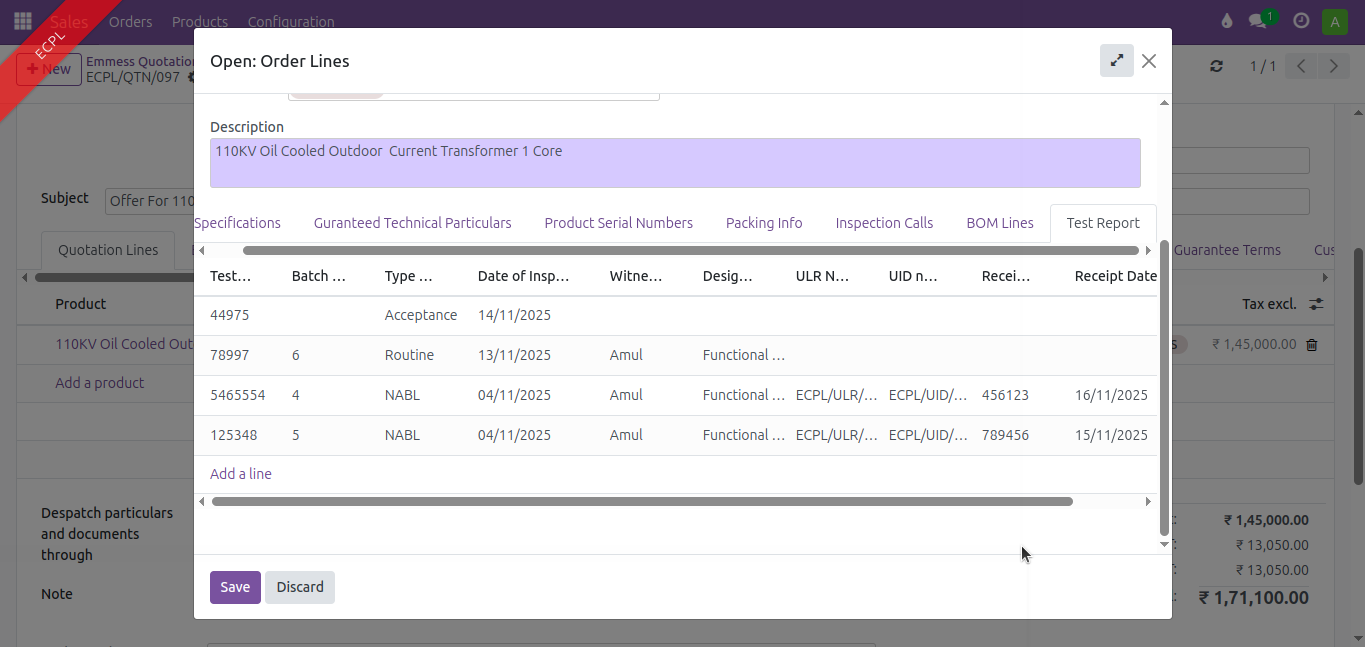
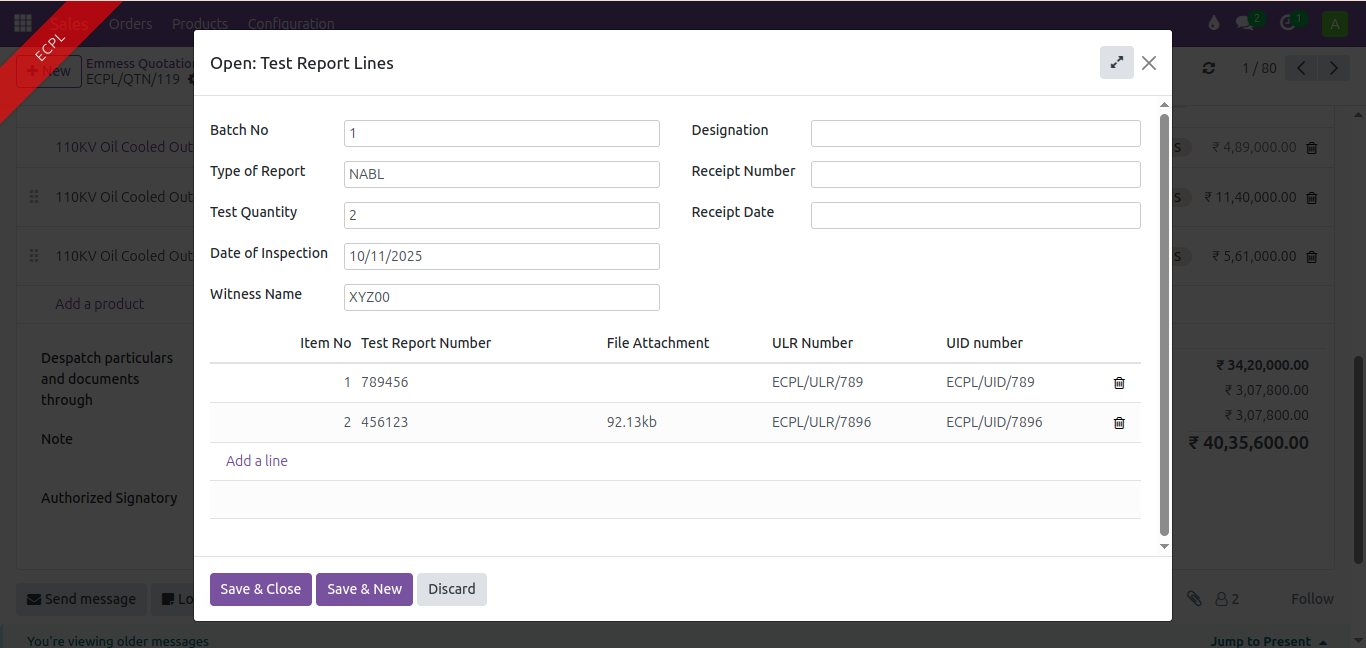
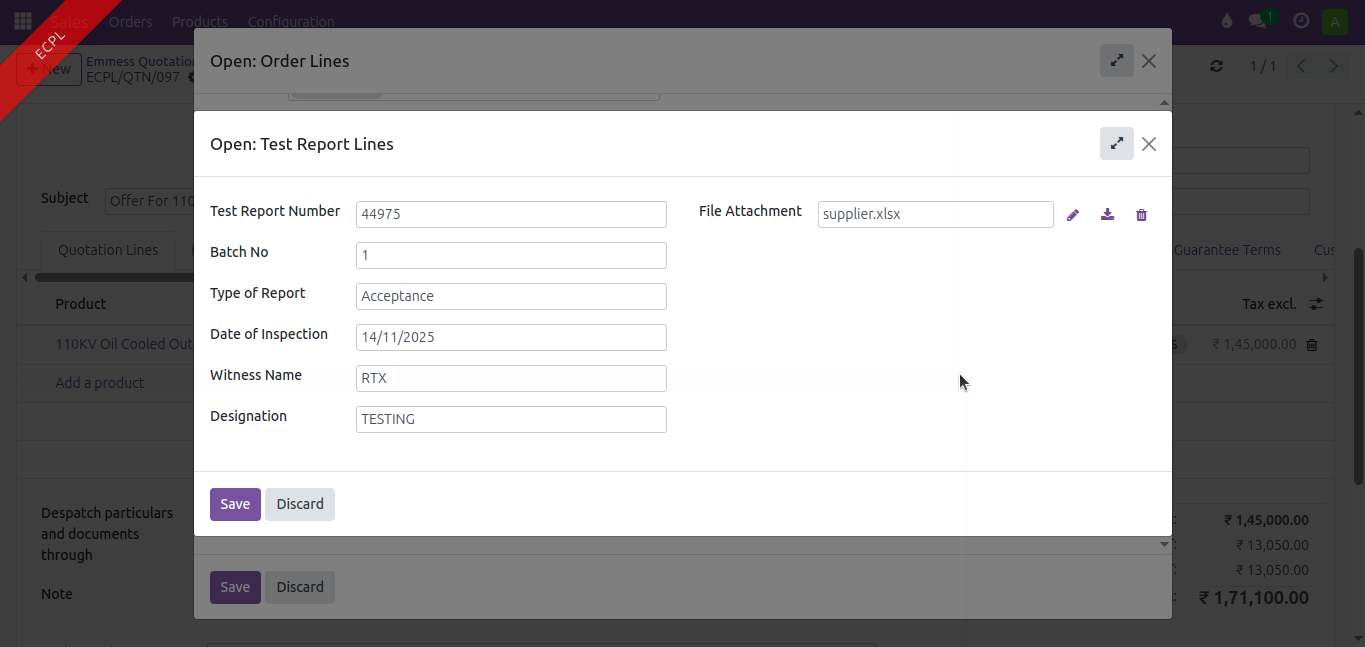
Define a new class OrderLineTestReport in sale_order_line.py with the fields specified in the given XLSX sheet. Add a One2many field in the sale.order model. Create and declare the corresponding form and tree views in both the Sale Order Form View and the Sale Quotation Form View.
Updated by Amul Munusamy 5 months ago
- File test_report.xlsx test_report.xlsx added
Updated by Vignesh Saravanan 5 months ago · Edited
- File report_type_acceptance.png report_type_acceptance.png added
- File report_type_nabl.png report_type_nabl.png added
- File test_report_order_lines_tree_view.png test_report_order_lines_tree_view.png added
Updated by Amul Munusamy 5 months ago
- Subject changed from Test Report to Orderline Test Report
Updated by Vignesh Saravanan 5 months ago
Updated by Vignesh Saravanan 5 months ago
Defined an Onchange function when report_type = nabl
@api.onchange('test_qty')
    def _onchange_test_qty(self):
        self.nabl_test_report_lines = [(5, 0, 0)]
        lines = []
        prev_nabl_lines = self.env['order.line.test.report'].search([('sale_order_line_id', '=', self.sale_order_line_id.ids[0])])
        start_sno = 0
        for nabl_line in prev_nabl_lines:
            start_sno += len(nabl_line.nabl_test_report_lines)
        for qty in range(self.test_qty):
            start_sno += 1
            lines.append((0, 0, {'sno': start_sno}))
        self.nabl_test_report_lines = lines
Updated by Vignesh Saravanan 5 months ago
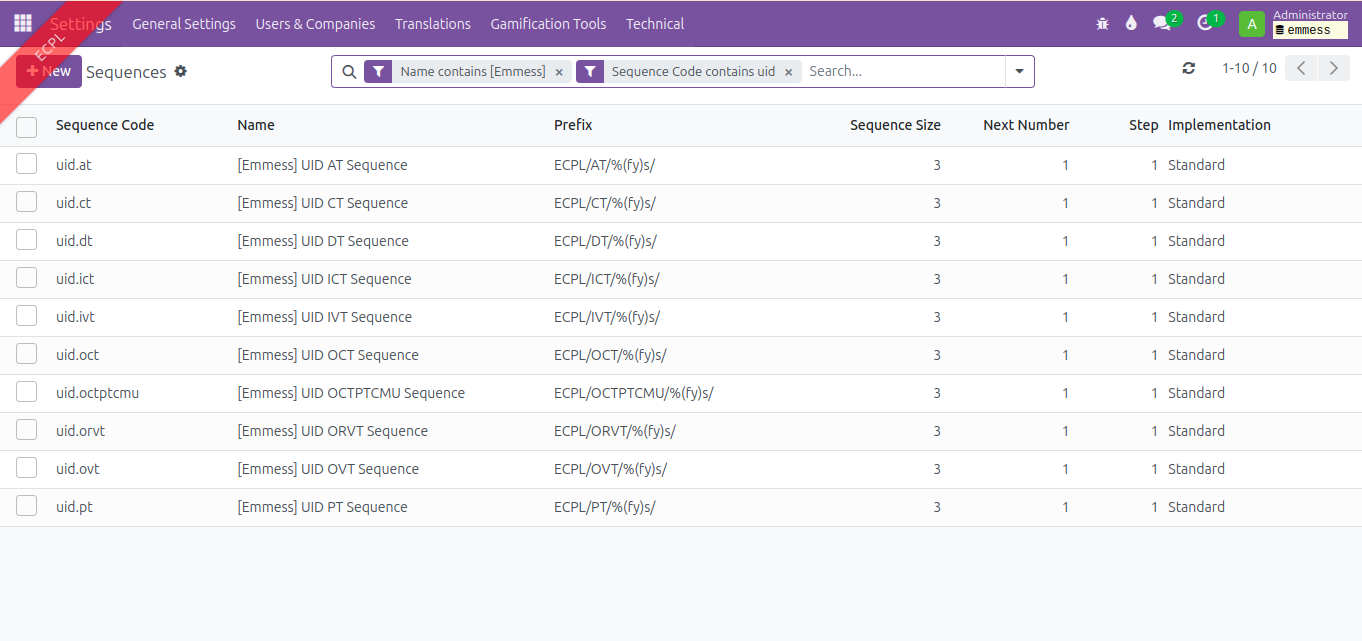
ULR & UID Sequence Generation
Analysis:
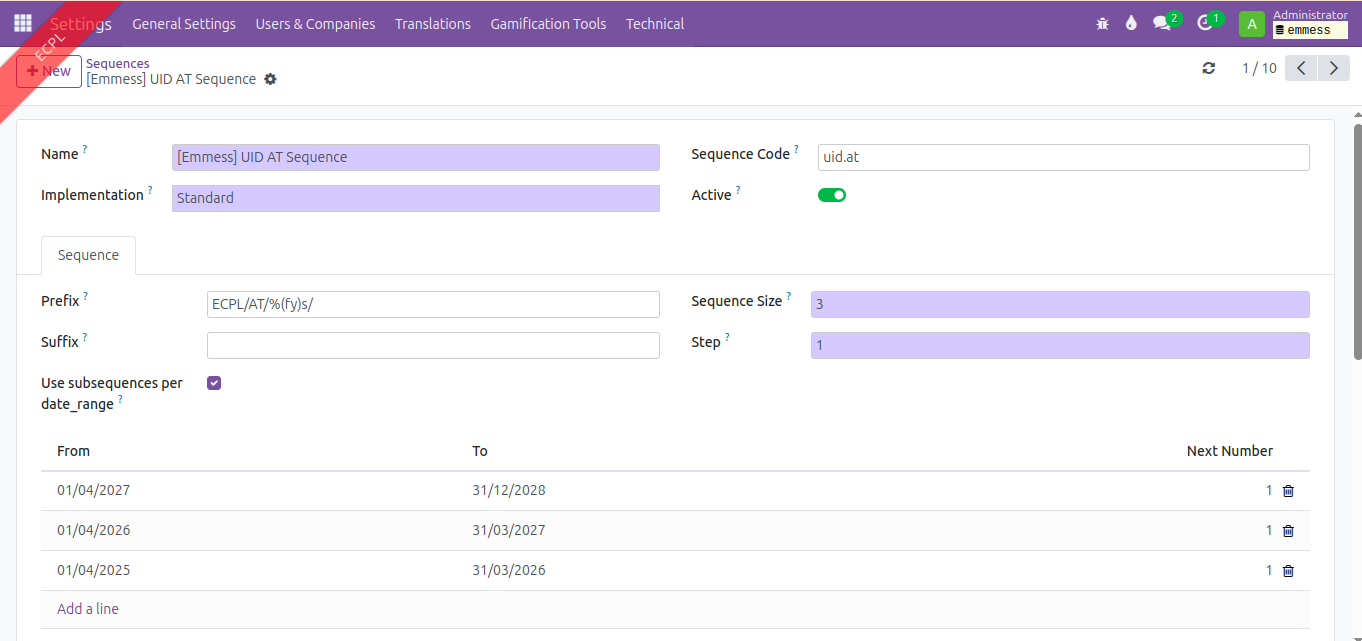
UID
Uid sample - ECPL/CT/2025-26/001
Financial year based
ECPL - company name
CT/VT/DT - product classification
2025-2026 - financial year
001 to …. Based on number of items tested. Not based on product classification but based on total count
ULR
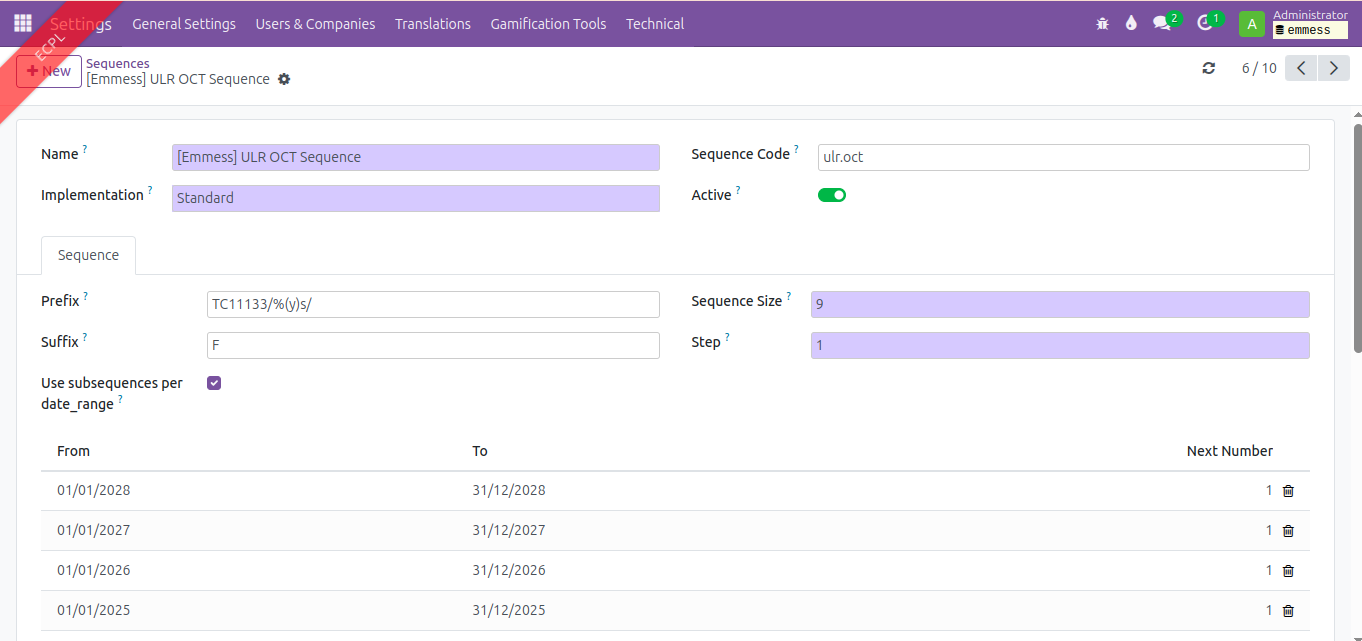
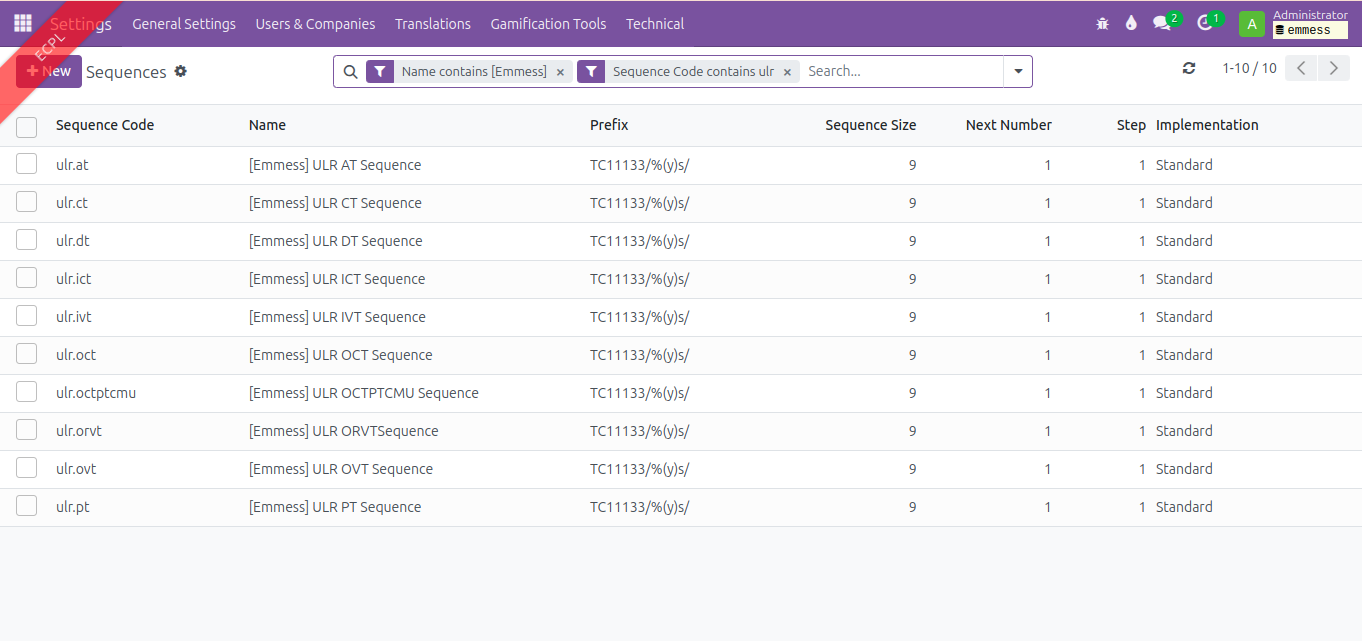
Ulr
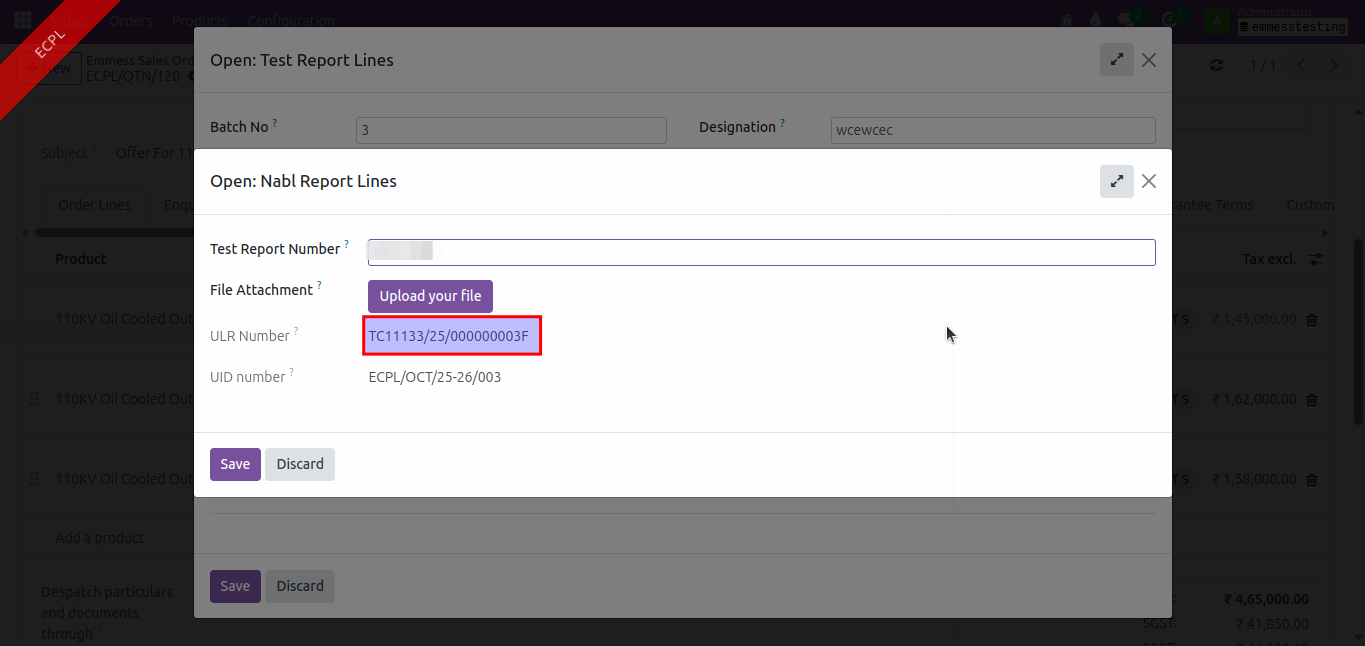
TC11133/25/000000001F
TC11133 - lab ID remains constant
25 -calendar year changes since it’s considered January to December
000000001F this should be as per product classification
For CT / VT/ DT - each category should start from 000000001F and it goes on.. it gets carried across manufacturing order
Solution
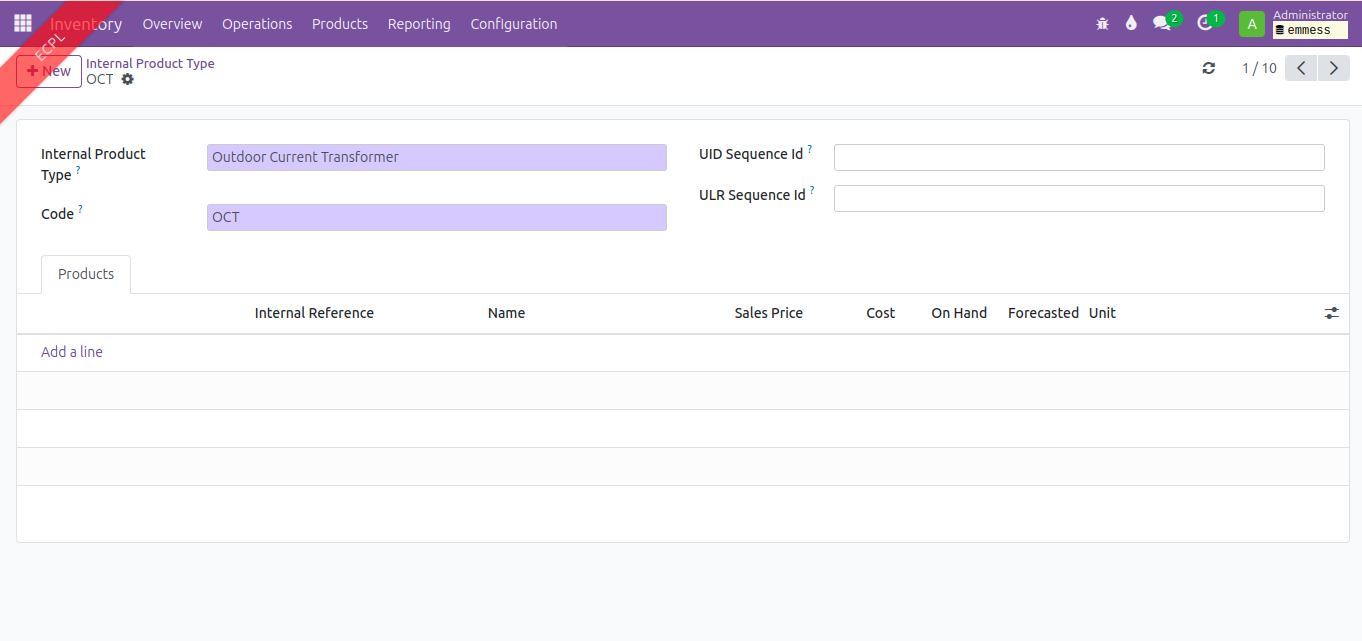
New two fields defined in Internal Product Type menu path: Inventory --> Configuration --> Products --> Internal Product Type.
| Technical Name | Comodel | String |
|---|---|---|
| uid_sequence_id | ir.sequence | UID Sequence Id |
| ulr_sequence_id | ir.sequence | ULR Sequence Id |
View Update:
Create sequence for ULR and UID in ir.sequence model
Updated by Vignesh Saravanan 5 months ago
- File clipboard-202511151110-asdxl.png clipboard-202511151110-asdxl.png added
- File clipboard-202511151111-cquu3.png clipboard-202511151111-cquu3.png added
- File clipboard-202511151112-inslr.png clipboard-202511151112-inslr.png added
- File clipboard-202511151113-s4brv.png clipboard-202511151113-s4brv.png added
Updated by Vignesh Saravanan 5 months ago · Edited
- File Test_Report_Demo.mp4 Test_Report_Demo.mp4 added
Demo Video : https://emmesspms.amachu.tech/attachments/59


Updated by Vignesh Saravanan 5 months ago
- Status changed from In Progress to Resolved
Updated by Vignesh Saravanan 5 months ago
- Status changed from Resolved to User Acceptance Pending
Updated by Vignesh Saravanan 4 months ago
- File test_report_tab_emmess_order.png test_report_tab_emmess_order.png added
- File url_no_issue.png url_no_issue.png added
- File clipboard-202512231211-knwru.png clipboard-202512231211-knwru.png added
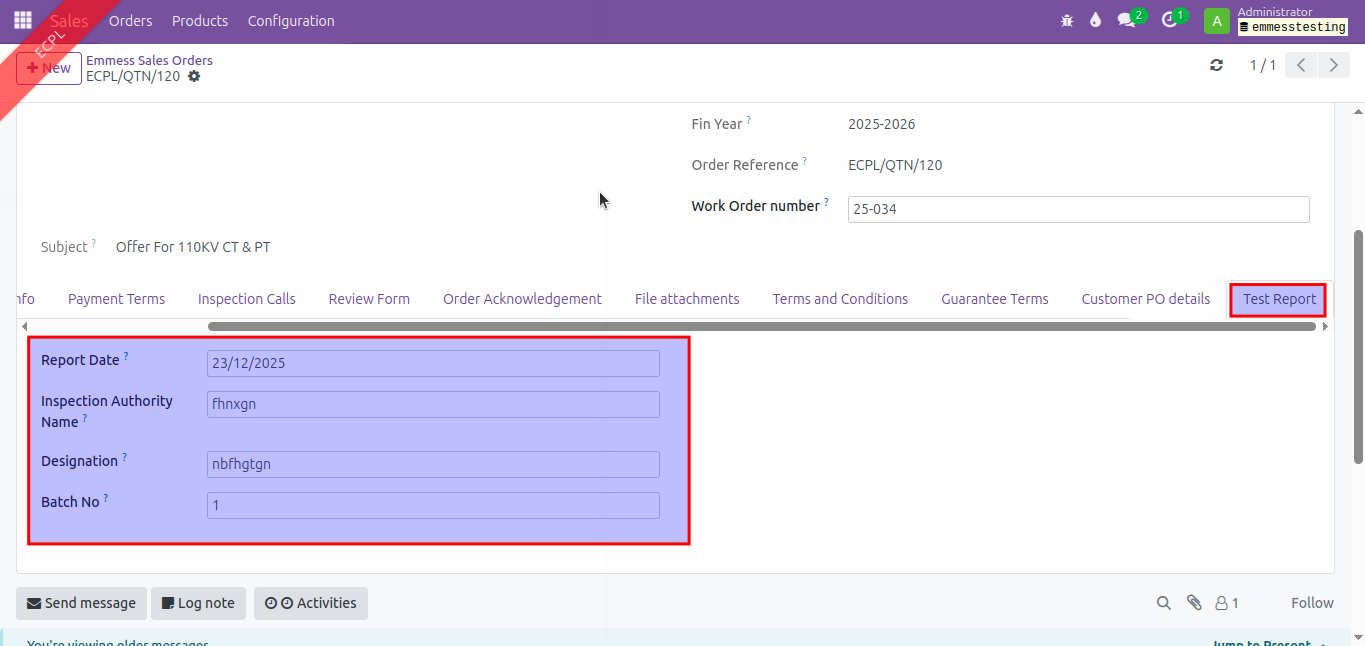
Test Report Feedback:
- Test Report tab not needed in Emmess Order as shown below:
- In ULR Number, forward slash and space is not required.
- Need to add multiple witness name.