Support #1
openRequest for PO -237 Missing in Production Instance
0%
Description
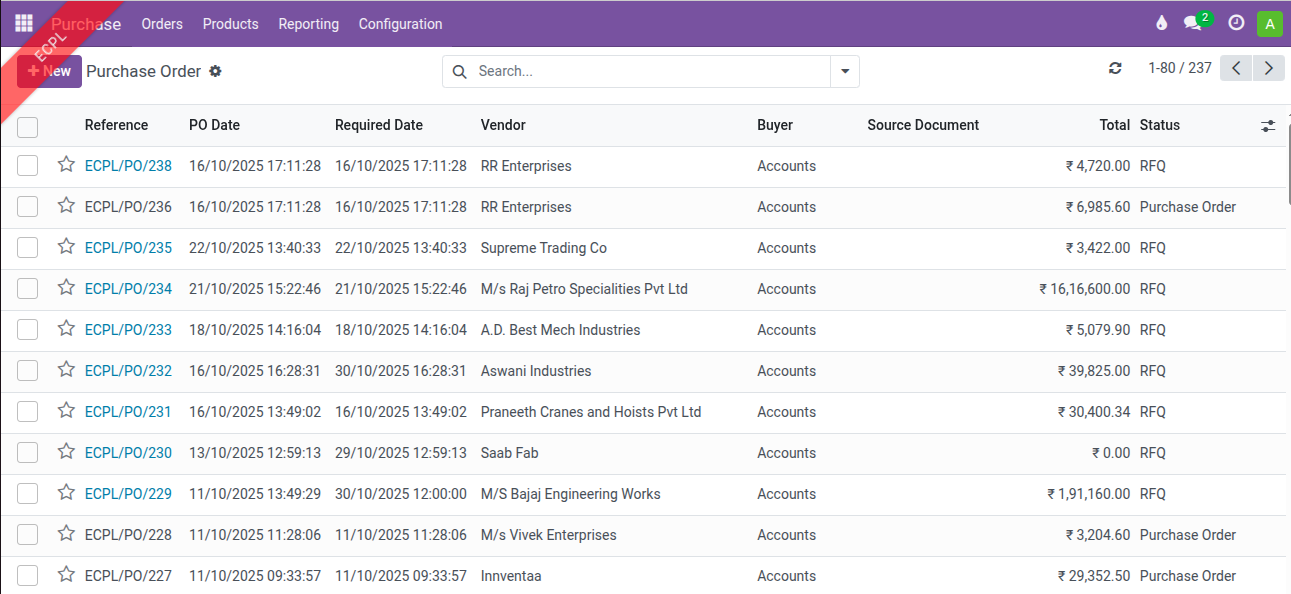
Request for PO -237 Missing in Production Instance.
Files
Updated by Amul Munusamy 6 months ago
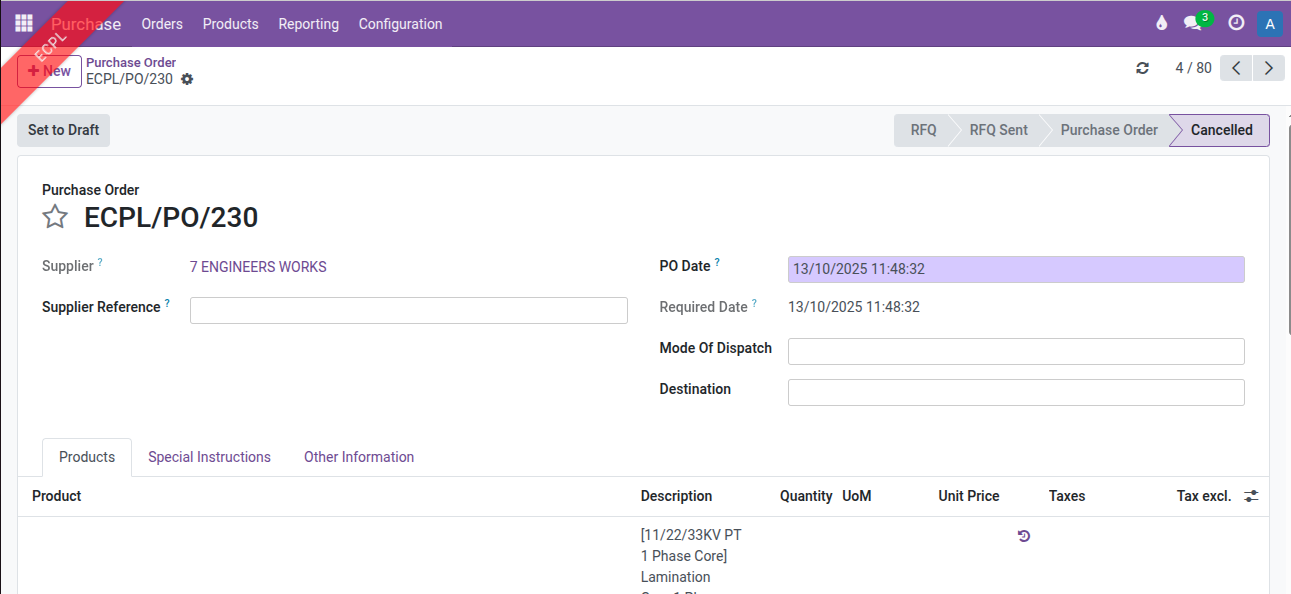
- File Not_present_in_PO_237.png Not_present_in_PO_237.png added
- Status changed from New to In Progress
Updated by Amul Munusamy 6 months ago
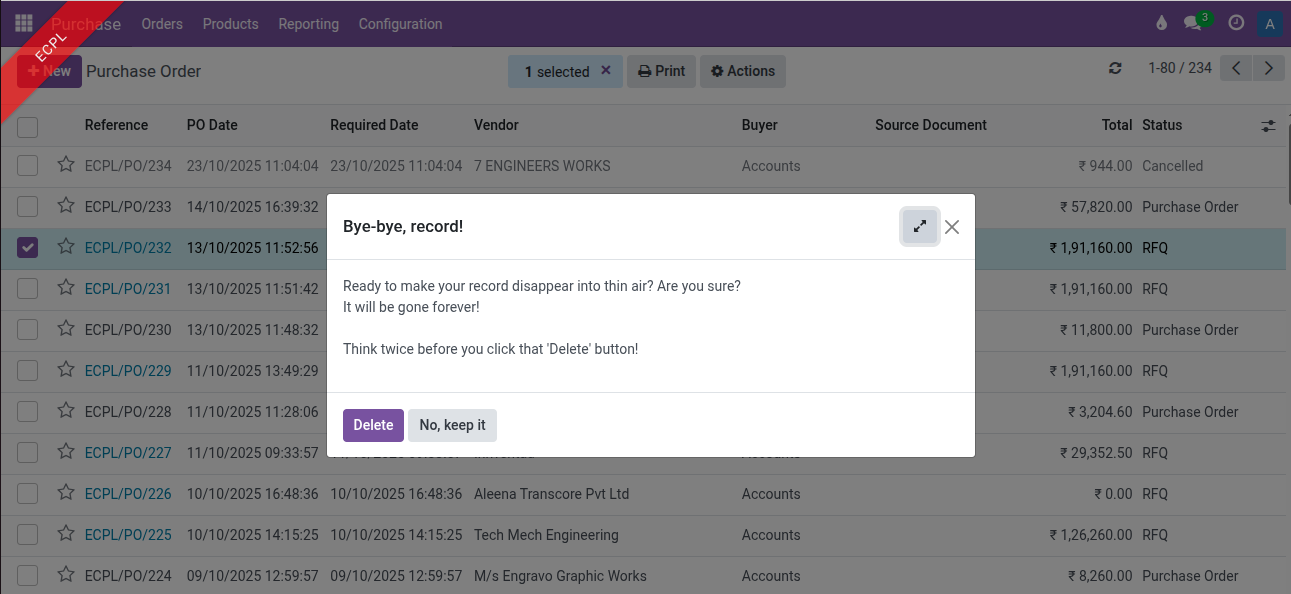
- File po_delete_message_display.png po_delete_message_display.png added
- File po_in_purchase_order_cancel_state.png po_in_purchase_order_cancel_state.png added
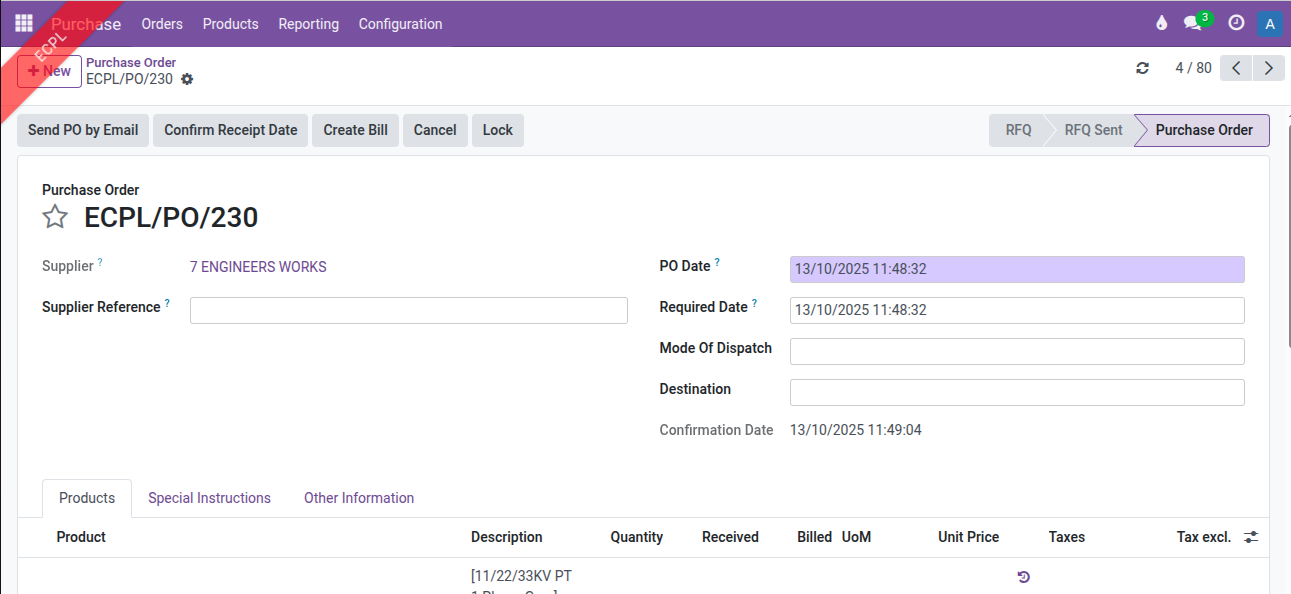
- File po_in_purchase_order_state.png po_in_purchase_order_state.png added
- File po_invalid_operation.png po_invalid_operation.png added
- File new_po_create_and_cancel.png new_po_create_and_cancel.png added
Analysis:
Go to Purchase → Orders → Purchase Orders.
Created a new PO, selected the record to delete, and then the following message window was displayed.

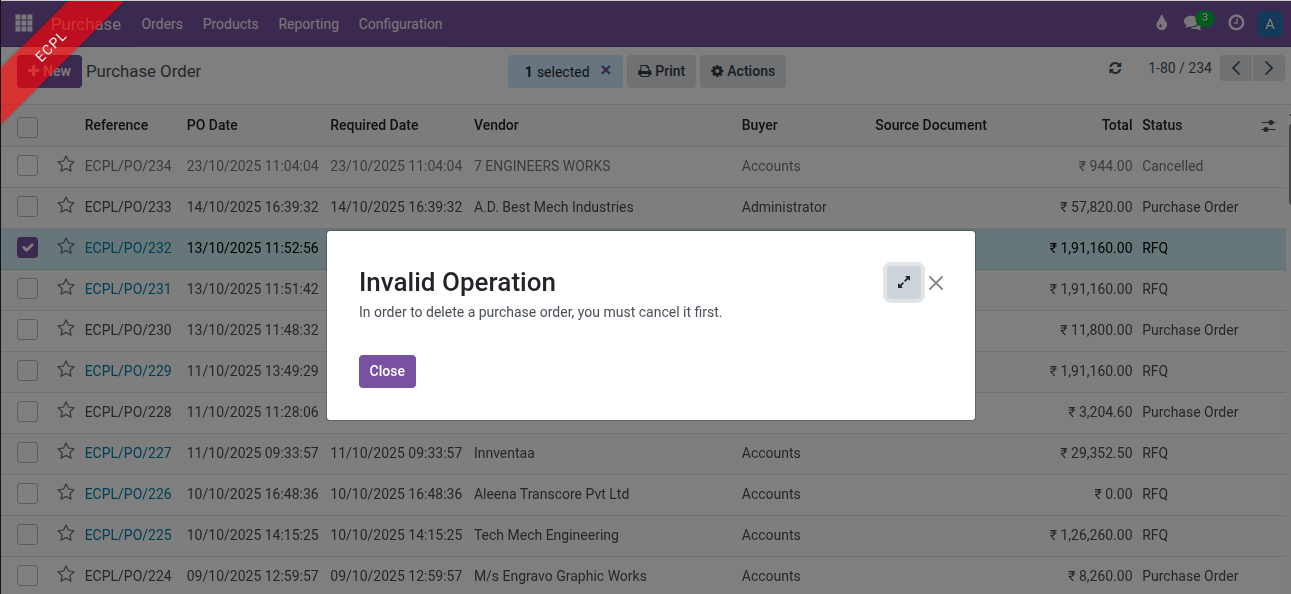
For a PO in Draft state, canceled the record and then deleted it.
For a PO in Purchase Order state, canceled the record and then deleted it.
Solution:
Discussed with @Sri Ramadoss Mahalingam, and he said to change the current sequence and make it continue in order.
Communication Update:
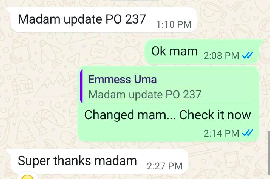
Communicated with Ms. Uma and informed her that the PO numbers will continue in order.
Updated by Sri Ramadoss Mahalingam 6 months ago
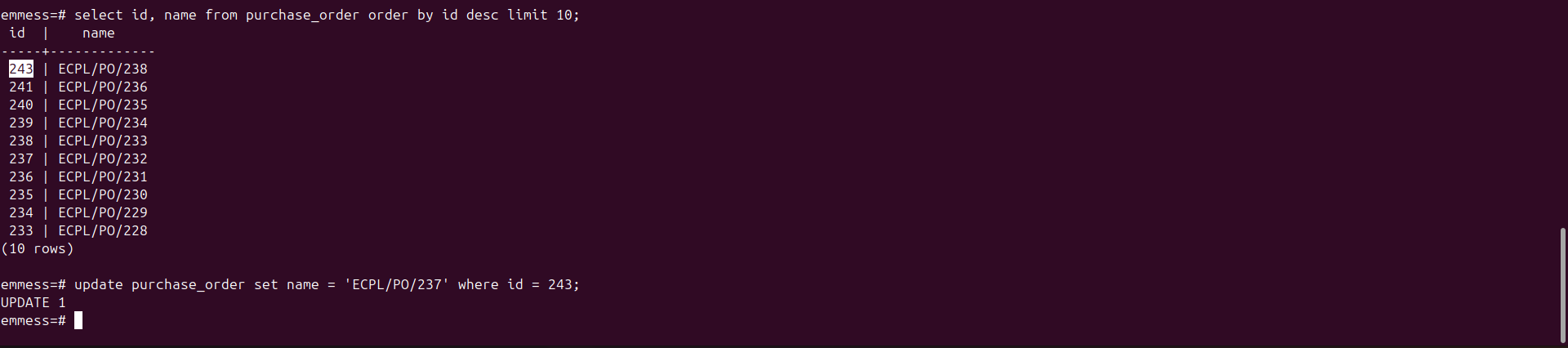
Updated by Amul Munusamy 6 months ago
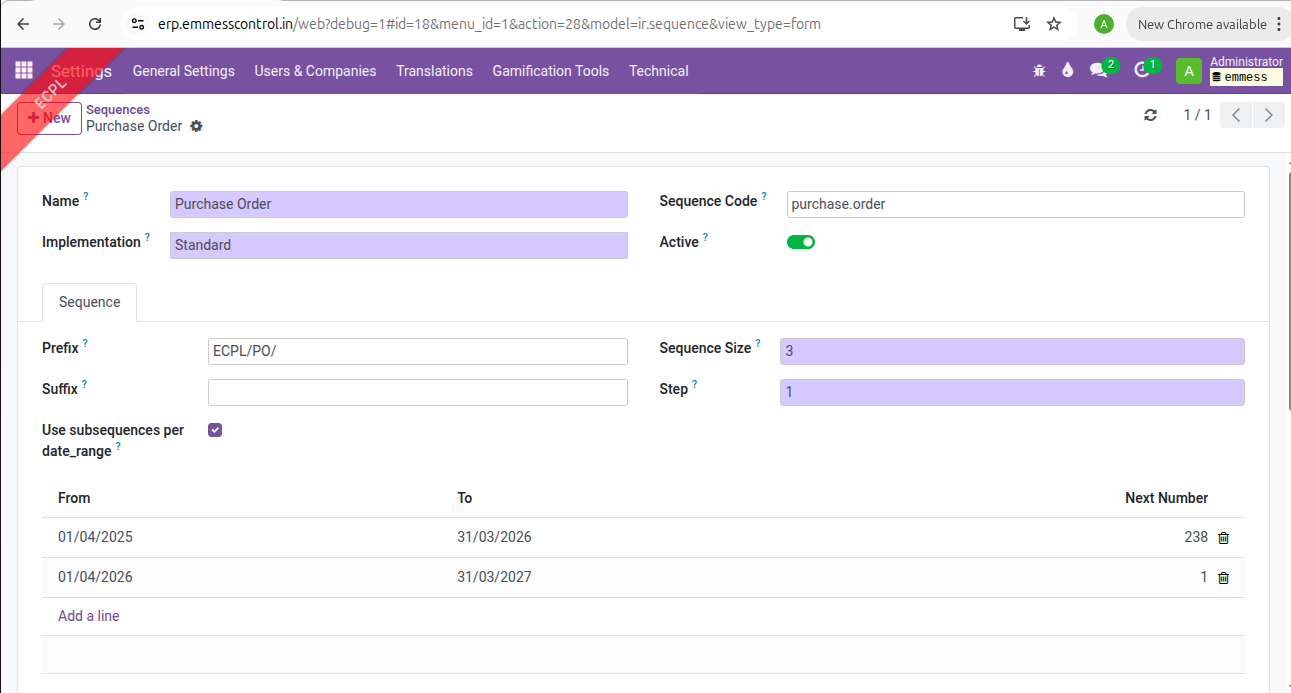
- File po_next_seqence_set.png po_next_seqence_set.png added
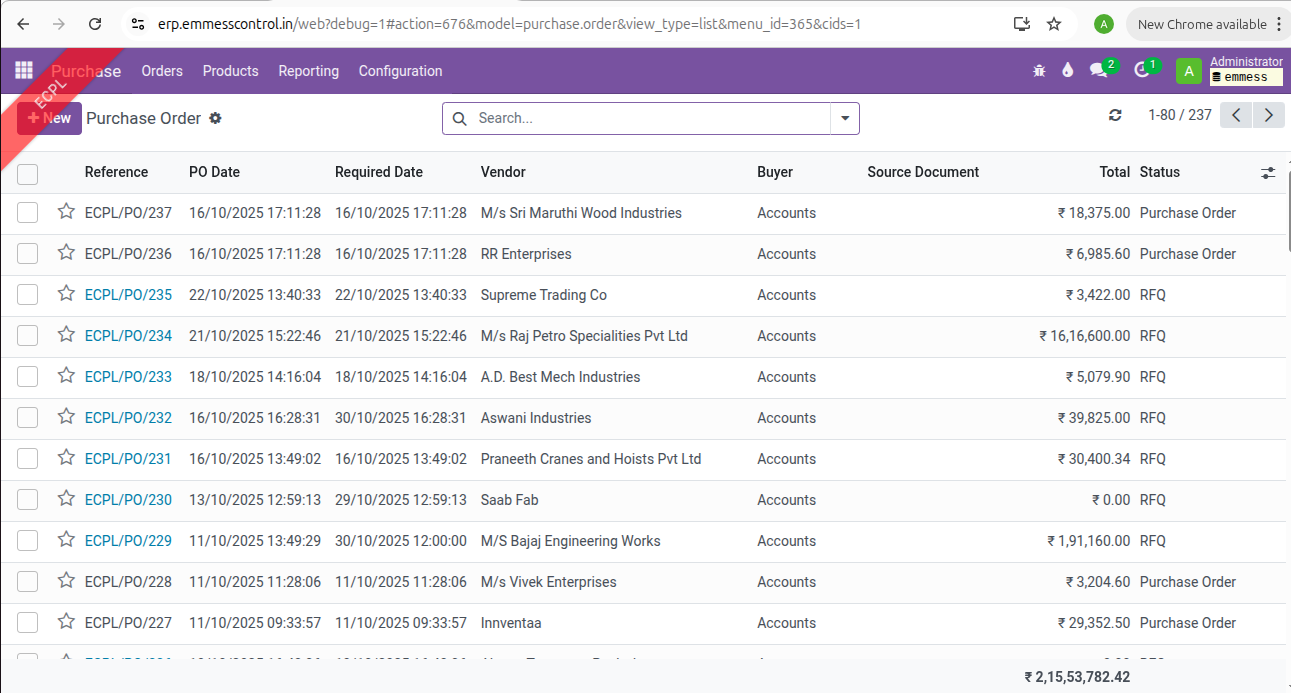
- File po_sequence.png po_sequence.png added
- File po_sequence_communication.png po_sequence_communication.png added
Sequence Update:
Go to Settings → Technical → Sequences & Identifiers → Sequences .
Search for the PO Sequence and set the next sequence number.
Go to Purchase → Orders → Purchase Orders .
Verified the Purchase Order sequence 237 and proceeded with the next sequence.
Communication Update:
Communicated with Ms. Uma via phone and WhatsApp.
Updated by Amul Munusamy 6 months ago
- Tracker changed from Support to Task
- Status changed from In Progress to Resolved